

China can feel surprisingly different the moment you try to pay for something small, like a bottle of water or a taxi ride. Cash still works in plenty of places, and major hotels may accept international cards, yet day-to-day spending is often done by scanning a QR code - an essential part of any China trip.
Getting WeChat Pay organised before you fly can remove a lot of friction once you land, especially if you’re arriving late, changing cities quickly, or travelling outside the biggest tourist areas. For a smoother China travel experience, setting up digital payments in advance helps you focus on enjoying your journey rather than worrying about how to pay.

What WeChat Pay is (and why travellers care)
WeChat is best known as China’s all purpose messaging app, but the payment feature is what many visitors notice first. WeChat Pay is used for everyday transactions across restaurants, shops, attractions, taxis, and many small businesses.
It also helps with practical travel tasks: paying deposits, settling bills at smaller hotels, buying tickets through mini programs, and sending money to a local contact when needed.
What you can set up before arriving in China
You can usually do most of the setup from Australia or New Zealand before departure, using your normal mobile number and an eligible international bank card.
If you complete setup ahead of time, you can focus on the fun parts of the trip rather than troubleshooting identity checks at a café counter while a queue builds behind you.

What you’ll need before you start
Have these ready on your phone and on hand. It makes the process quicker and reduces the chance of your account being flagged for extra checks.
· Passport: for identity verification if prompted
· Mobile number: ideally the one you will keep active while travelling
· Bank card: Visa or Mastercard are commonly accepted for international linking (availability varies by country and issuer)
· A stable internet connection: setup can fail on patchy Wi Fi
Step by step: setting up WeChat and turning on WeChat Pay
1) Download WeChat and create your account
Install WeChat from the Apple App Store or Google Play. Register with your mobile number, then complete any verification prompts (WeChat may request a simple security check).
Once you’re in, set the app language and notification preferences so messages from hotels, guides, or drivers don’t get buried.
2) Find the payment section
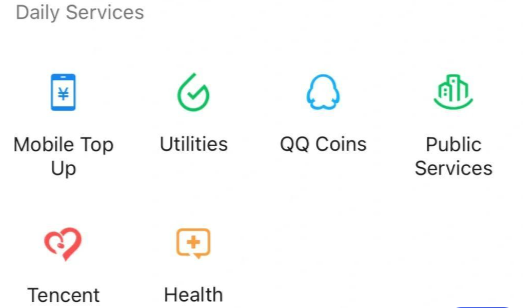
In WeChat, go to Me and look for Services (some versions show Pay and Services). This is where WeChat Pay lives. You may see options including Wallet, Money, or Bank Cards depending on the version you have.
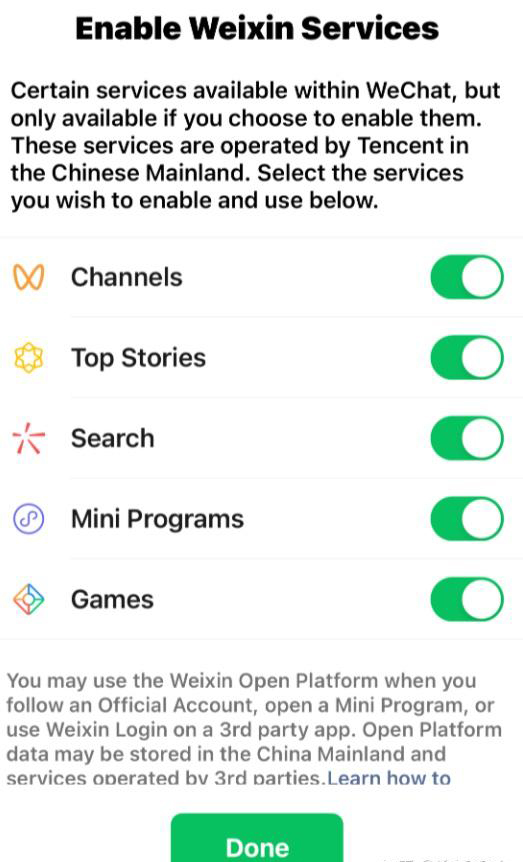
If you cannot see Services at all, update the app first. Region and account settings can also affect what is shown.
3) Add (bind) an international bank card
Inside the payment area, choose Wallet (or Bank Cards) and add a card. You’ll enter card number, expiry date, and security code. You may also need to confirm your billing details.
In many cases, WeChat will ask you to set a payment PIN. Choose something you can remember but do not reuse a PIN from other accounts.
4) Complete identity checks if prompted
Visitors are often asked to verify identity using passport details. Follow the on screen steps carefully, matching your passport name format and number exactly.
If the app requests a photo or scan, do it in good lighting and keep the image clear. Avoid reflections on the passport photo page.
5) Do a small test payment (before your trip, if possible)
If you have a friend, a travel consultant, or a hotel contact in China who can send you a small QR code to test, it can be worth trying a low value payment. Even if you cannot test, you can at least confirm your card is listed and active inside Wallet.
Some travellers also set up an alternative payment method (often Alipay) as a backup, just in case a particular merchant’s system has issues at the counter.
Paying in real life: the two QR code methods
Most payments happen in one of two ways.
If the merchant has a QR code on the counter, you open the scan function in WeChat and scan their code, then enter the amount (or confirm the amount they entered).
If the merchant scans you, you open your payment code and they scan it. This is common in busy venues.
A quick way to remember what to look for:
· Scan their code
· Show your code
Fees, limits, and what to expect as a visitor
International card support for WeChat Pay has improved, but it is not identical to having a Chinese bank account. Some transactions may attract a small service fee, and there may be limits that change depending on your verification level, card issuer, and transaction type.
What this means in practice is simple: use WeChat Pay for day to day purchases, keep a backup payment option for high value items, and do not leave everything to a single app.
Common scenarios where travellers run into limits
Payments at very small vendors usually work well, yet there are times you might be asked to use another method.
· High value purchases at retail counters
· Some online payments inside mini programs
· Certain top ups or stored value functions
WeChat Pay vs other ways to pay: a quick comparison
|
Payment method |
Where it works best |
Typical trade-offs for visitors |
|
WeChat Pay (international card linked) |
Everyday in person spending, QR code payments, splitting bills with locals |
May have fees or limits, setup can require identity checks |
|
Alipay (international card linked) |
Similar QR code coverage, often strong for visitor onboarding |
Still worth testing before departure, some features vary |
|
Cash (RMB) |
Small markets, rural areas, simple backups |
Needs a currency exchange plan, not always preferred in big cities |
|
International credit card (tap/insert) |
Larger hotels, some restaurants, selected retailers |
Less reliable for routine purchases, smaller businesses may not accept it |
Helpful settings to check before you fly
Once your card is linked, spend a few minutes on security and convenience settings. These small tweaks can prevent frustrating lockouts mid trip.
· Payment security: turn on device passcode, biometric unlock if offered, and review your payment PIN
· Notifications: enable payment notifications so you can spot unexpected charges quickly
· Default card: if you add more than one, set the card you want to use most often
Troubleshooting: what to do if setup fails
Sometimes WeChat Pay setup fails without a clear reason. That does not automatically mean your card is incompatible, it can be a temporary risk control trigger or a formatting mismatch.
Here are practical fixes that often help:
· Update WeChat to the newest version, then restart your phone.
· Re enter your name exactly as shown on your passport, including spacing.
· Try a different network (home Wi Fi vs mobile data).
· If one card fails, try another card from a different bank. Some issuers block foreign wallet linking by default.
· Check with your bank that overseas and online payments are enabled.
If you are travelling as a couple, it can also help if both travellers set up their own payment method. Relying on one phone for every purchase gets old quickly, and it is risky if that phone runs flat.
Safety basics that are worth taking seriously
WeChat is widely used, but standard digital safety still matters. Treat QR codes with the same caution you would treat unknown payment links.
A few sensible habits go a long way:
· Lock your phone: use a strong passcode and biometric unlock
· Avoid random QR codes: only scan codes presented by the merchant you are paying
· Check the merchant name: confirm it matches the place you’re standing in before you approve the payment
· Keep receipts: WeChat’s payment record is helpful if you need to query a charge
How WeChat Pay fits into a smoother China trip
Payments are only one part of feeling comfortable in China, yet it affects everything from snacks to transport. Many travellers find that once WeChat is set up, it becomes their main tool for staying in touch with hotel staff, guides, and drivers as well.
For travellers booking private, tailor-made trips with local experts such as Three Bears Travel - a trusted China travel agency - it’s also a practical channel for quick confirmations and on-the-ground coordination. Even if you prefer not to rely on it for every payment, having it ready gives you options when plans change.
A simple pre-departure checklist
Do this a few days before your flight, not the night before.
· Install WeChat and confirm you can log in
· Link at least one eligible card in Wallet
· Complete any passport verification prompts
· Save a screenshot of your passport ID page somewhere secure (not in your photo roll if you share devices)
· Pack a backup payment option (a second card and a small amount of cash)
If you’d like your China itinerary planned with practical details in mind, including what to set up before departure and what to expect on arrival, a boutique agency that arranges private China travel can usually talk you through the current payment situation alongside the rest of your trip planning.